2 min read
The chaos of negotiating with creators
Creator marketing is growing, and so is the number of campaigns one team runs at the same time. Very often, the same creator is involved in several campaigns at once. In each one, the team runs a separate negotiation with them, and progress is never in sync.
In one conversation, they've already agreed on a rate and are waiting for the brief. In another, they've just received the first message and haven't replied yet.
When a system doesn't distinguish these conversations by campaign, it loses track of what stage the creator is actually at in each one. The mistake becomes almost inevitable.
- The agent sends the creator a brief, even though in that specific campaign they haven't agreed on terms yet
- Or the opposite happens - the agent stays silent in a conversation where the creator has been waiting for the next step for a while
With one creator, this kind of confusion can still be sorted out manually. But when a team is running dozens of negotiations at once, the cost of the mistake multiplies. It's no longer about one lost deal, but about the lost momentum of the entire creator program.
What is a pipeline
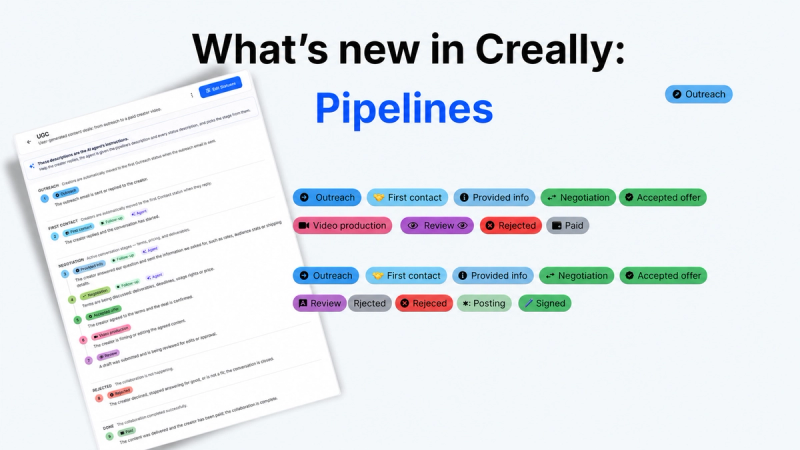
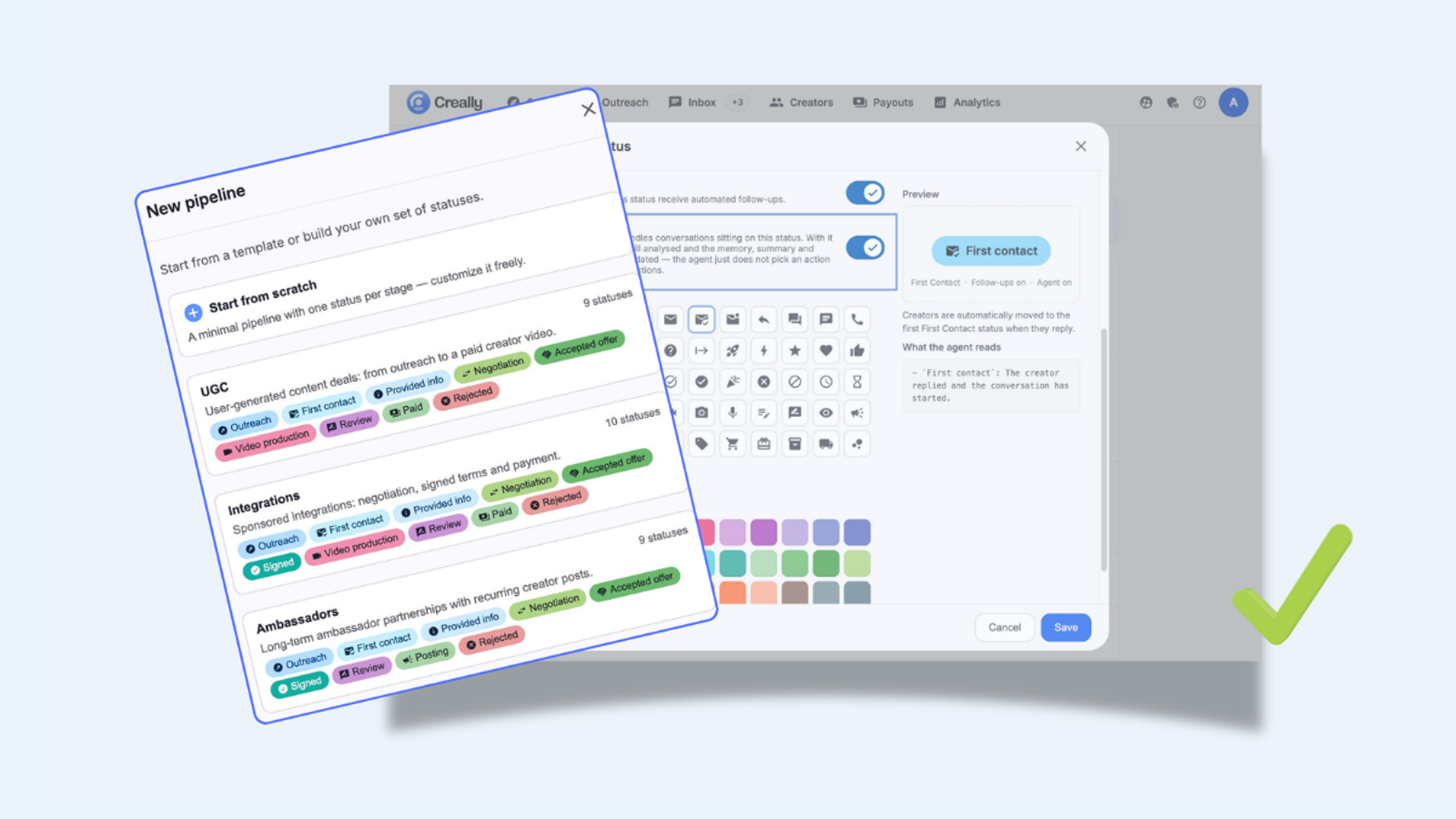
Think of it as a status funnel. A creator gets outreach, replies, negotiates terms, gets rejected, or reaches a deal. Each of these steps is a status, and the full sequence of statuses is a pipeline, with its own names, order, and rules for every company.
How the AI agent reads a status
A status is not just the name of a stage a creator moves through. The AI agent reads each status description to understand what's happening at that stage of the negotiation, and acts accordingly. It's essentially an instruction for the agent.
In every pipeline, the team can see exactly which statuses the agent is actively working on, and which ones it simply observes.
Creator Pipelines - order in every conversation
Now every campaign has its own status for a creator, separate from every other campaign they're also part of. So if a creator has agreed on a rate in one campaign but hasn't replied yet in another, the agent sees this clearly and responds correctly in each conversation on its own.
The team also decides where the agent handles the conversation on its own, and where it just observes and logs information for the manager, without stepping into the conversation.
Setting up a pipeline takes minutes. Choose from three ready-made templates:
- UGC
- Integrations
- Ambassadors
Or build a fully custom pipeline from scratch.
Summary
Order in negotiations directly affects every closed deal. Creator Pipelines gives the team a clear picture of every campaign, and the confidence that every conversation with a creator is moving exactly the way it should.